MSI Kombustor
MSI Kombustor is a utility for testing GPU performance and graphic cards stress tests.
Safe & Secure
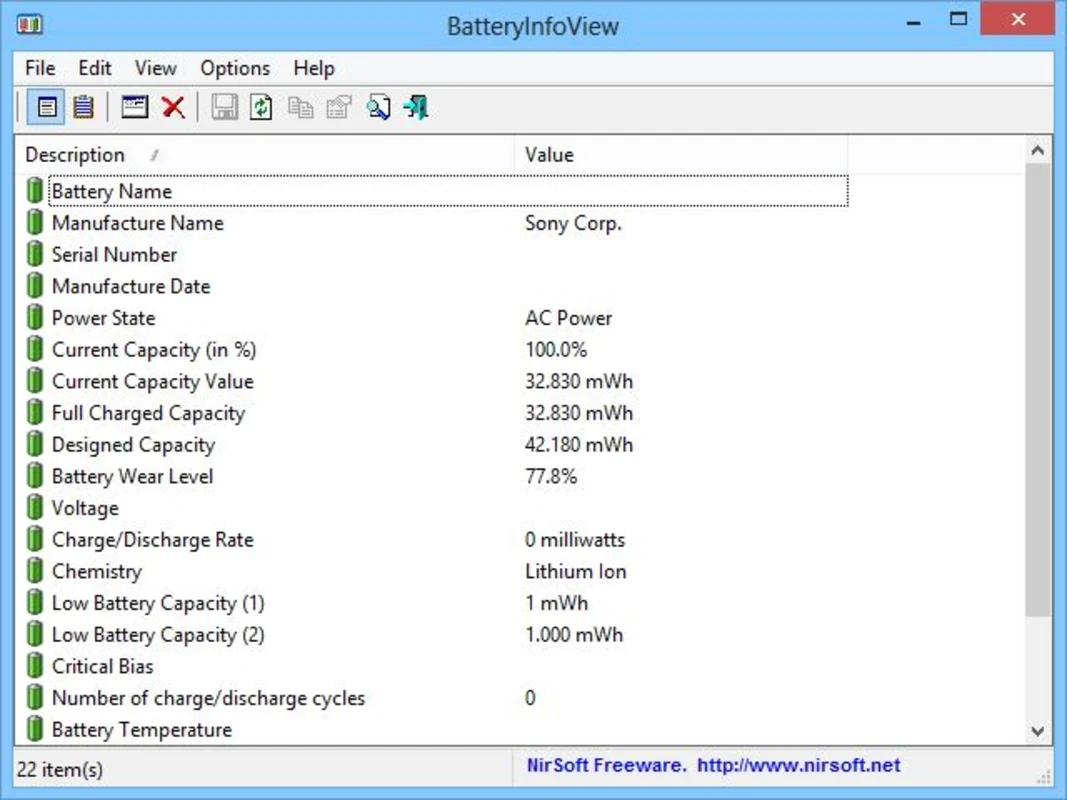
BatteryInfoView is a lightweight, free utility to offer clear, detailed battery information, and deep technical insights into battery hardware. The specialized diagnostic tool helps to collect hardware data for system administrators, repair technicians, and power users, working as transparent window, instead to modify the system registry.
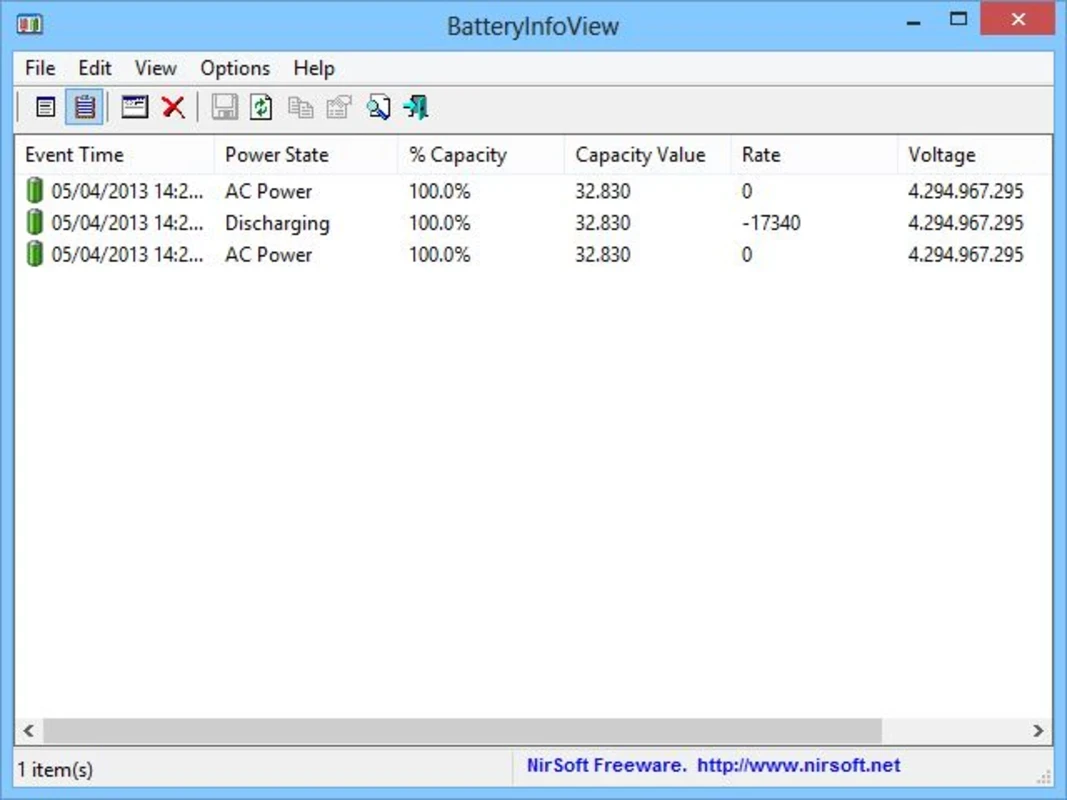
The innovative program is built on two different viewing modes, catering to diverse diagnostic needs. You will be capable of viewing a comprehensive list of real-time metrics along with historical perspective. In this way, you can easily track the exact behavior of the battery over time.
BatteryInfoView developed by NirSoft, falls under the Productivity software with subcategory Cataloging, is a Freeware software. So you can get detailed info, such as battery name, serial number, manufacture date, power state, current battery capacity, full charge capacity, voltage, charge, and discharge.
It also helps you get a new log line about battery status after 30 seconds, or the time interval of your choice. Keep in mind, it only gives information about your battery, and not for extending the battery life or other such steps.
This awesome integration helps the users to collect bulk data automatically, allowing them to export battery reports into multiple formats while avoiding the graphical user interface interaction. It also integrates battery diagnostics with larger automated maintenance scripts, or makes it possible to generate daily reports for a fleet of devices.
The lightweight utility offers effortless, breeze-like services, respecting user privacy. So, you will not find phone home, advertisements, or other unwanted extras. Moreover, the portable capability enables users to unzip and run an executable file from your USB drive on any Windows machine, without any installation or bloatware.
The app offers detailed information related to your battery, such as battery name, serial number, manufacturer name, manufacturing date, designed capacity, and current full charge capacity. It also offers a comparison between designed capacity and the current full charge capacity. It proves to be the best solution specifically in case of suspecting the battery is wearing out faster than expected. Moreover, it also offers current power state, voltage, charge/discharge rate, and temperature.
The user interface is simple and intuitive, offering a single window embedded with column headers that can easily be sorted with a single click. You will also find a few buttons on the main screen to operate multiple tasks such as copy data, export data, and so on. Comfortable tabular data is available, without offering any wizard configuration dialog, flashy graphics, or hidden menus.
You will be capable of tracking changes in power state in real-time, as the app offers regular intervals, dropping the changes every 30 seconds, or set your own time period to reliably analyze the energy consumption of your battery. You can also monitor long-term trends, recording the battery status to enable users to keep an eye on the device when it is plugged in to inform them how long charging took and how the battery usage changed during a session.
Beyond battery usage analysis, the app also helps to export data usage reports using multiple formats, such as TXT, CSV, HTML, or XML. In addition, you can also monitor precise voltage as well as milliwatt rates, ensuring you get exact power usage from your system currently. However, keep in mind that the app is only for giving detailed information about your battery and does not help in extending the battery life. For that purpose, you have to use another application.
The app is also available in multiple other languages for the ease of users to select their preferred language and use the app more easily and reliably. For this purpose, you have to download the zip file of your desired language and put it within the same folder as the BatteryInfoView utility. The supported languages are: German, French, Arabic, Italian, Greek, Dutch, Korean, Polish, Spanish, Turkish, Vietnamese, and so on.
Pros
Cons

MSI Kombustor is a utility for testing GPU performance and graphic cards stress tests.

Unlocker allows you to delete, move, and rename locked files from your operating system

Custom Resolution Utility (CRU) fine-tuning and customizing resolution on pc

GS Auto Clicker use for repetitive clicking of the mouse

Caffeine, a lightweight and free-to-use utility to prevent your PC from falling asleep or locking up

Windows 10 Update Assistant updates your pc to the latest version of Windows 10